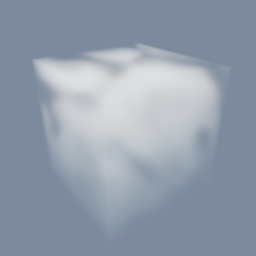
Reaction-diffusion in 3D
Animated
tex/PolyNode tex/Solver tex/Builder code/TextureLaplacian mat/Volume mat/VolumeSurface
Documentation / Node reference / mat nodes
Renders a VOLUME object as marched smoke, cloud or fire.
Volume
Draws a volume by stepping a ray through it and accumulating what it passes, rather than by shading a surface, which is why it can hold smoke and cloud that have no skin to shade. The density it marches is a POINT attribute read straight off the VOLUME geometry, so there is nothing to bake. It can instead come from a 3D texture made in TEX, such as a simulation, read where the GPU wrote it: the volume then only says where the box is. An optional second attribute carries colour, either tinting the smoke or making it glow for fire. The params split into three groups: what is marched, how the light scatters inside it, and what shadow it casts.
| Name | Type | What it does |
|---|---|---|
| densitySource | UInt8 ATTRIBUTE · TEXTURE | Where the density comes from. ATTRIBUTE reads it from the volume's own POINT attribute. TEXTURE reads it from a 3D texture made in TEX, such as a tex/Solver simulation, without bringing it back to the CPU, so a large simulation can be watched live. With TEXTURE the volume only gives the box the texture fills, whatever its own resolution. |
| texture | NodePath | The TEX node whose 3D texture holds the density, used when densitySource is TEXTURE. The texture is stretched over the volume's box, and that node cooks whenever the material is drawn, so a simulation steps with nothing else pulling it. |
| channel | UInt8 R · G · B · A | Which channel of the texture is the density, used when densitySource is TEXTURE. A simulation often keeps several values in one texture: pick the one to draw. |
| attribute | AttributeName | Which POINT attribute on the volume holds the density to march, used when densitySource is ATTRIBUTE. Everything the material draws comes from this field: where it is 0 the ray passes through untouched. |
| colorAttribute | AttributeName | An optional VECTOR3 POINT attribute holding a colour per voxel, used as colourFieldMode says. Geometry without it falls back to the colour param alone. |
| colorFieldMode | UInt8 TINT · EMISSIVE | What the colour attribute means. TINT multiplies the scattered light, so the field colours smoke that is still lit by the scene. EMISSIVE adds it as light the volume gives off by itself, which is what fire and explosions need, since those are not lit from outside. |
| emissiveIntensity | Float | How strongly the colour field glows in EMISSIVE mode. It scales the light the volume adds by itself, and does nothing in TINT mode. |
| color | Color | The volume's own colour, multiplied into every sample. With no colour attribute present this is the only thing tinting the smoke. |
| densityScale | Float | A multiplier on the density attribute before it is marched. Raise it to turn a thin wisp into thick smoke without touching the geometry, lower it to see through a dense field. |
| stepSize | Float | How far the ray moves between samples, in world units. Small steps read the field faithfully and cost more; large steps run fast but band, which shows up as visible shells through the smoke. |
| maxSteps | UInt32 | The hard ceiling on samples per ray. It is what stops a large or dense volume from costing without limit: a ray that hits the ceiling stops early, which shows as the far side of the volume being cut off. |
| absorption | Float | How much light the volume swallows rather than scatters onward. 0 is pure scattering, which reads as bright cloud, and raising it darkens the interior toward soot or heavy smoke. |
| shadowSteps | UInt32 | How many samples the march takes toward each light to find out how shadowed a point is. This is the self-shadowing that gives a cloud its shape. 0 turns it off and leaves the volume evenly lit and flat. |
| shadowDensity | Float | How strongly the density blocks light on the way to a light source, separately from how it looks to the camera. It is the dial for deepening or lifting the volume's own shadow without changing its apparent thickness. |
| anisotropy | Float | Which way light bounces inside the volume. 0 scatters evenly in every direction. Positive values push it forward, which is what makes a cloud glow when it is between you and the sun. Negative values push it back toward the light instead. |
| powderStrength | Float | How much the edges of the volume darken. Real thin smoke lets light through at its edge and looks darker there than the simple model predicts, and this restores that. 0 leaves the edges as the model gives them. |
| scatterOctaves | UInt32 | How many rounds of scattering to approximate. 1 is single scattering, where light bounces once and leaves. More rounds spread light deeper into the volume and soften the interior, which is what thick cloud does, at proportional cost. |
| saturationThreshold | Float | The accumulated opacity at which a ray gives up early, because what is behind it can no longer show through. Just under 1 saves most of the work inside a dense volume with no visible change; lowering it further starts cutting the interior short. |
| shadowCastMode | UInt8 OPACITY_THRESHOLD · DITHERED | How the volume writes into the shadow map. OPACITY_THRESHOLD registers a hit once the ray has accumulated enough opacity, giving a hard silhouette of the dense core. DITHERED varies that threshold per fragment with noise instead, and the receiver's filtering averages the result into a shadow that tracks the density. |
| shadowOpacityThreshold | Float | The accumulated opacity at which the caster march counts as a hit, in OPACITY_THRESHOLD mode. Low values make thin wisps cast a full shadow, high values only let the dense core cast one. Hidden in DITHERED mode, which uses noise instead of a fixed threshold. |
| transparencyMode | UInt8 AUTO · OPAQUE · MASK · BLEND | The volume is always drawn through transparency, so only AUTO and BLEND are offered, and both draw the same. A fog has no opaque form: everything it draws is light gathered along the ray with the alpha it builds up, and it reads the depth of the opaque scene to stop at solid objects, which the opaque pass is still writing. A scene saved with OPAQUE or MASK draws as a fog too, and so does an object whose transparency mode attribute asks for the opaque pass. For a solid surface of a volume, use mat/VolumeSurface. |
| sides | UInt8 FRONT · BACK · BOTH | Which side of each triangle is drawn. FRONT draws the outward-facing side only, which is what a closed mesh wants: its inner surface is hidden anyway, so drawing it is wasted work. BACK draws the inward-facing side, for a surface seen from the inside such as a skydome or a box the camera sits in. BOTH draws either side, which is what an open single surface needs: a cutout leaf, a sheet of cloth, or a plane the camera can walk around, all of which disappear from one side under FRONT. The shadow pass follows BOTH so an open surface still casts a shadow whichever way it faces the light, and draws FRONT otherwise. |
Scenes you can open in the editor that teach this node.
tex/PolyNode tex/Solver tex/Builder code/TextureLaplacian mat/Volume mat/VolumeSurface
This page is generated from the engine, so it describes the release you can download. The same text is in the editor's Help panel next to the node itself.