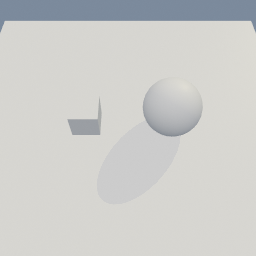
geo/ObjectProperties
Documentation / Node reference / geo nodes
geo/ObjectProperties
Sets how the input objects are drawn and lit.
Attributes
Each property changes only when its toggle is on. Other properties are left as they are.
Parameters
| Name | Type | What it does |
|---|---|---|
| group | String | The objects to change. Empty changes every object. |
| tname | Bool | Changes the object name. |
| name | String | The new object name. |
| tprimaryRayVisible | Bool | Changes whether the camera sees the object. |
| primaryRayVisible | Bool | Off hides the object. Traced lighting still sees it. |
| tcastShadows | Bool | Changes whether the object casts shadows. |
| castShadows | Bool | Off: no shadow, and traced lighting ignores the object. |
| treceiveShadows | Bool | Changes whether shadows fall on the object. |
| receiveShadows | Bool | Off: no shadow falls on the object. |
| ttransparencyMode | Bool | Changes how the object's alpha is drawn. |
| transparencyMode | UInt8 AUTO · OPAQUE · MASK · BLEND | How the object's alpha is drawn. |
| tdisplayParts | Bool | Changes which parts of the object are displayed. |
| displayFill | Bool | Displays the object's surface. |
| displayWireframe | Bool | Displays the object's edges. |
| trenderLayers | Bool | Changes the render layers the object is on. |
| layer0 | Bool | Puts the object on render layer 0. |
| layer1 | Bool | Puts the object on render layer 1. |
| layer2 | Bool | Puts the object on render layer 2. |
| layer3 | Bool | Puts the object on render layer 3. |
| layer4 | Bool | Puts the object on render layer 4. |
| layer5 | Bool | Puts the object on render layer 5. |
| layer6 | Bool | Puts the object on render layer 6. |
| layer7 | Bool | Puts the object on render layer 7. |
Examples
Scenes you can open in the editor that teach this node.

geo/ObjectProperties mat/MeshBasic
This page is generated from the engine, so it describes the release you can download. The same text is in the editor's Help panel next to the node itself.