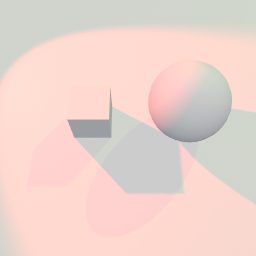
A directional light and a spot light casting onto the same ground, side by side. It is the light's side of shadows: whether it casts at all, and the resolution, bias and softness underneath that.
Examples
Every one of these opens in the browser editor, running, with its node graph laid out for you to take apart. Nothing to install and no account needed.
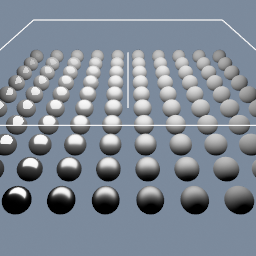
A grid of spheres shaded by a material built node by node. Roughness and metallic are read from point attributes, so the surface changes across the field instead of being one uniform value.
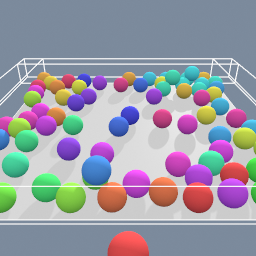
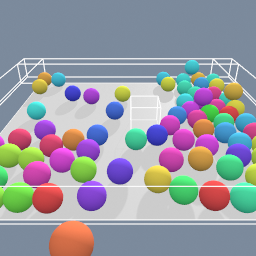
A rigid-body simulation with many objects where your cursor drive one of them, allowing you to interact with the others.
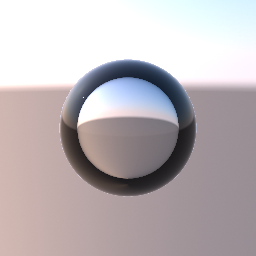
A clear sphere with an IOR of 0.75: air (1.0) relative to the water around it (1.33). An IOR below 1 bends the light the other way, so where a glass ball flips the sky, the bubble spreads it. Near the rim the view cannot get in at all. A real bubble reflects everything there, like a mirror. The preview keeps only the thin surface reflection, so the rim reads as a dark ring. The bubble floats on its own in front of the sky. A bubble inside a clear object is not supported yet: it needs nested media.
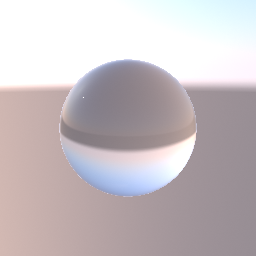
A clear glass sphere lit by one point light, in front of an analytic sky held by geo/Environment. The glass shows the sky bent through it, upside down like a ball lens. Bypass the environment node and the sphere turns black with only the light's highlight: glass shows the environment, not the camera's background colour or other objects behind it.
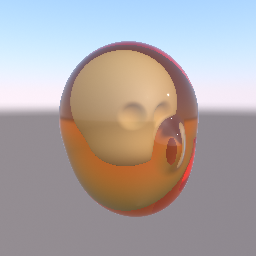
A head printed in clear amber resin, with an opaque skull inside it. The skin and the skull are two regions of one SDF object, joined by a hard union. geo/MaterialAttributes makes the skin transmissive, with an IOR and an amber attenuation colour, and gives the skull a bone colour. The view ray bends into the resin, turns deeper amber the further it travels, and stops on the skull. The light that reaches the skull is not dimmed by the resin around it, and the resin shows the environment, not other objects behind it.
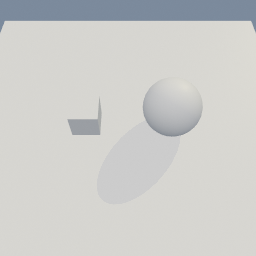
Two objects under one light, and only one of them casts a shadow. Turning that off per object is a pair of parameters: one enables the override, the other carries the value, and setting the value alone does nothing.
geo/ObjectProperties
This example creates a series of objects in a line. If you observe them from either ends of the line, you will see the objects behind the first one are tinted by the ones before them. Their materials' alpha is what makes them see-through. The last one also goes through a geo/ObjectProperties, which sets a transparency mode on that object alone. It is left on AUTO, so the material still decides and the sphere renders like the others. Set it to OPAQUE and that one sphere draws solid, with no change to its material.
geo/ObjectProperties mat/MeshBasic