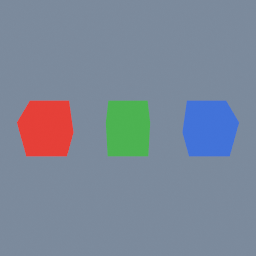
One box, copied three times, each copy a different colour. It shows how a material node picks which objects it applies to, using the object index as its group, and how it points at a material by relative path.
mat/MeshBasic geo/Material
Every one of these opens in the browser editor, running, with its node graph laid out for you to take apart. Nothing to install and no account needed.
One box, copied three times, each copy a different colour. It shows how a material node picks which objects it applies to, using the object index as its group, and how it points at a material by relative path.
mat/MeshBasic geo/Material
A two-colour nameplate written to a single .glb, the interchange file Blender, three.js and the game engines read: every object keeps its own transform and its material's colour, and no preparation transform is needed because glTF shares Polygon's Y-up, meter conventions.
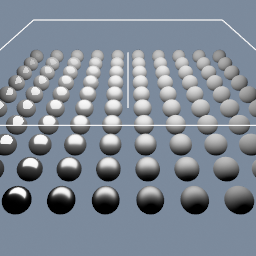
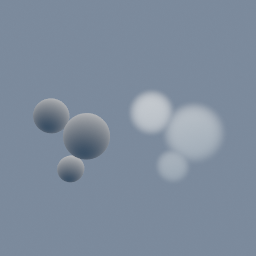
A grid of spheres shaded by a material built node by node. Roughness and metallic are read from point attributes, so the surface changes across the field instead of being one uniform value.
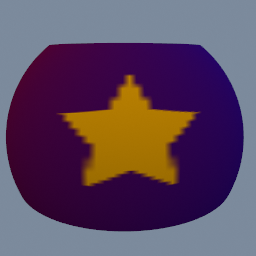
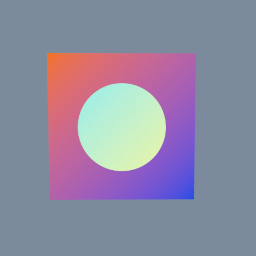
A geo/PointBuilder samples a picture made in TEX at each point's UV and writes it into the point colour: a star on a gradient, painted around a sphere.
geo/PointBuilder code/TextureSample2D code/Param code/Sampler
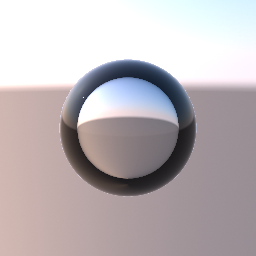
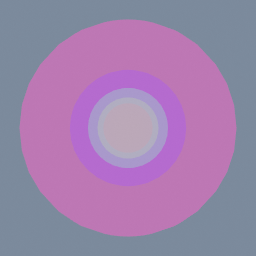
A clear sphere with an IOR of 0.75: air (1.0) relative to the water around it (1.33). An IOR below 1 bends the light the other way, so where a glass ball flips the sky, the bubble spreads it. Near the rim the view cannot get in at all. A real bubble reflects everything there, like a mirror. The preview keeps only the thin surface reflection, so the rim reads as a dark ring. The bubble floats on its own in front of the sky. A bubble inside a clear object is not supported yet: it needs nested media.
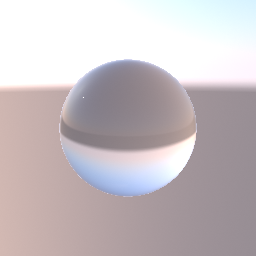
A clear glass sphere lit by one point light, in front of an analytic sky held by geo/Environment. The glass shows the sky bent through it, upside down like a ball lens. Bypass the environment node and the sphere turns black with only the light's highlight: glass shows the environment, not the camera's background colour or other objects behind it.
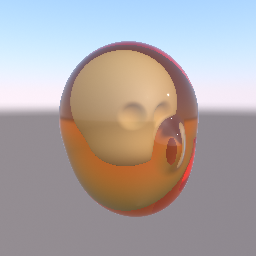
A head printed in clear amber resin, with an opaque skull inside it. The skin and the skull are two regions of one SDF object, joined by a hard union. geo/MaterialAttributes makes the skin transmissive, with an IOR and an amber attenuation colour, and gives the skull a bone colour. The view ray bends into the resin, turns deeper amber the further it travels, and stops on the skull. The light that reaches the skull is not dimmed by the resin around it, and the resin shows the environment, not other objects behind it.
A tex/Builder set to _3D makes a 64 by 64 by 64 texture from code nodes: from code/Globals' UVW, the distance to three centres, softened at each sphere's edge, the largest of the three kept. Open the texture panel to see it slice by slice or raymarched. geo/VolumeFromTexture brings it into the viewer as a volume, rendered as fog on one side and meshed on the other.
A gradient and an ellipse wired into a tex/Builder: inside the ellipse the gradient's colours are inverted, outside they are kept. code/Globals' InputColor reads the gradient pixel for pixel; code/TextureInput gives the ellipse as a texture, which code/TextureSample2D samples.
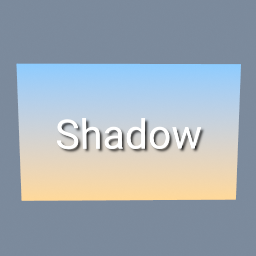
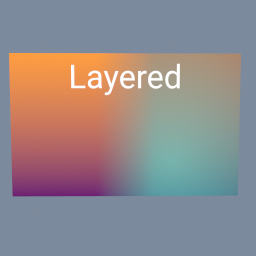
Two pictures side by side, blended across a soft seam by a gradient mask, the right one made see-through, and a title written on top. Each layer is a tex/Layer: its third input is the mask that says where the picture on top shows.
tex/Layer tex/Ramp tex/Text tex/Brightness tex/ImageExporter
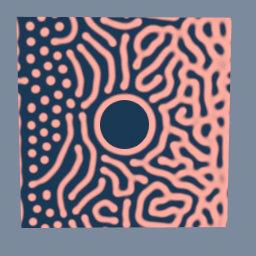
The tex/ReactionDiffusion node grows coral from a few blobs. A map changes the feed and the kill from left to right, so the blobs stay rings and dots on the left and branch into dense coral on the right, and a mask blocks a round rock in the middle, which the coral grows around.
tex/PolyNode tex/Builder code/Noise
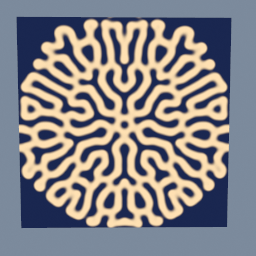
The tex/ReactionDiffusion node grows a pattern from a star seeded in a picture: two chemicals spread and react, and the star becomes a maze of stripes. Other values of F and k give coral, worms, spots and holes.
tex/PolyNode tex/Solver tex/Builder code/TextureLaplacian
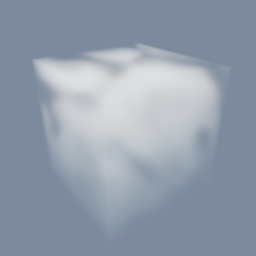
The tex/ReactionDiffusion node grows a pattern in a 64 by 64 by 64 texture: two chemicals spread through the volume and react, and three seeded spheres grow into a maze of folded sheets. The viewer draws them as fog with a mat/Volume, and beside it as a solid with a mat/VolumeSurface, both reading the texture where the GPU wrote it. Open the texture panel to see it slice by slice or raymarched.
tex/PolyNode tex/Solver tex/Builder code/TextureLaplacian mat/Volume mat/VolumeSurface
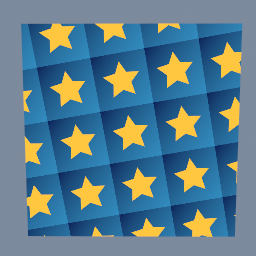
One tile, a gold star on a blue gradient, repeated four times each way and turned a little, on a plane. tex/Transform with borderMode REPEAT does the tiling.
This example creates a series of objects in a line. If you observe them from either ends of the line, you will see the objects behind the first one are tinted by the ones before them. Their materials' alpha is what makes them see-through. The last one also goes through a geo/ObjectProperties, which sets a transparency mode on that object alone. It is left on AUTO, so the material still decides and the sphere renders like the others. Set it to OPAQUE and that one sphere draws solid, with no change to its material.
geo/ObjectProperties mat/MeshBasic