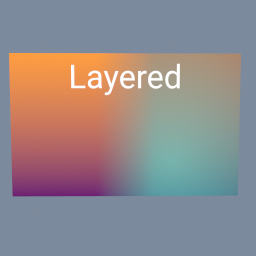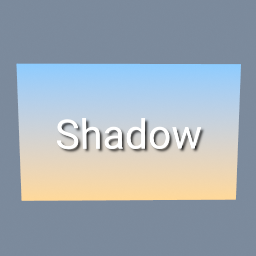
A title with a soft shadow, over a gradient. The shadow is the same title blurred, turned black and layered under it a little lower and to the right.
tex/Blur tex/Layer tex/Text tex/Brightness tex/Ramp
Documentation / Node reference / tex nodes
Renders text into a texture, with any font.
Primitives
Draws 'text' into a texture: the fill colour where the glyphs are, the background colour everywhere else, and an alpha channel that follows the glyph coverage. The result can be layered over another texture or used as a mask as it is.
It uses the same fonts and the same layout as geo/Text: the embedded font or a .ttf you point 'font' at, with kerning, ligatures and non-ASCII text through the font's own shaping. Lines are spaced by the font's line advance times 'lineHeight', 'letterSpacing' opens or tightens the gaps between characters, and 'align' places each line by its own glyphs.
With 'fitToText' on, the texture is just big enough for the text plus 'padding' on every side, so it changes size with the text. With it off, the texture is 'resolution' and 'align' and 'verticalAlign' place the block inside it: on the left edge, the centre or the right edge, and on the top, the middle or the bottom. BASELINE places it like TOP. Text that does not fit is cut off.
An empty text gives a transparent 1 by 1 texture when fitted.
The texture is 8-bit sRGB. Outlines and drop shadows are not part of this node.
| Name | Type | What it does |
|---|---|---|
| fontSource | UInt8 EMBEDDED · CUSTOM | EMBEDDED uses the font baked into the binary: printable ASCII only, with no file to load. CUSTOM reads 'font', which makes the node asynchronous while the asset arrives. |
| font | AssetPath | The .ttf to shape with, when fontSource is CUSTOM. |
| text | String | The text to draw. Enter inserts a line break, and the two-character \n is accepted too. |
| align | UInt8 LEFT · MIDDLE · RIGHT | Where each line sits horizontally, measured from its own glyphs: on the left, centred, or on the right. With fitToText off it also places the block in the texture. |
| verticalAlign | UInt8 BASELINE · TOP · MIDDLE · BOTTOM | Where the block of lines sits vertically when fitToText is off: at the top, in the middle or at the bottom of the texture. BASELINE places it like TOP. Measured from the font's ascent and descent, so it does not shift when the letters change. |
| size | Float | Height of one em, in pixels. The same value means the same size in every font. |
| lineHeight | Float | Multiplier on the font's own line advance: 1 is the spacing the font asks for, 2 is double-spaced. |
| letterSpacing | Float | Extra space after each character, as a fraction of 'size': 0.1 opens every gap by a tenth of the text height, a negative value pulls the letters closer. Accents stay on their letters. |
| fillColor | Color4 | Colour of the glyphs. Its alpha makes the text see-through. |
| backgroundColor | Color4 | Colour around the glyphs. Transparent by default, so the texture is the text alone. |
| fitToText | Bool | On, the texture is the size of the text plus the padding. Off, it is 'resolution', and the text is placed inside it. |
| padding | UInt32 | Empty pixels kept between the text and each edge of the texture. |
| resolution | Vector2UInt | Texture width and height in pixels, when fitToText is off. |
Scenes you can open in the editor that teach this node.
A title with a soft shadow, over a gradient. The shadow is the same title blurred, turned black and layered under it a little lower and to the right.
tex/Blur tex/Layer tex/Text tex/Brightness tex/Ramp
Two pictures side by side, blended across a soft seam by a gradient mask, the right one made see-through, and a title written on top. Each layer is a tex/Layer: its third input is the mask that says where the picture on top shows.
tex/Layer tex/Ramp tex/Text tex/Brightness tex/ImageExporter
This page is generated from the engine, so it describes the release you can download. The same text is in the editor's Help panel next to the node itself.