Documentation / Node reference / tex nodes
tex/Brightness
Makes the image on its input brighter or darker, in all of it or where a mask says.
Color
Multiplies the red, green and blue of every pixel by the same amount: 2 doubles the light in the image, 0.5 halves it, 0 makes it black, and 1 leaves it as it is. The multiplication happens in linear light, the way light adds up, so doubling looks like twice the light rather than a washed-out picture. Alpha is not touched unless you ask for it.
Set channels to ALPHA to change the alpha instead of the colour: with brightness 0.5, the picture becomes half as opaque and keeps its colours. Connect an image to the second input, the mask, to change only part of the picture: where the mask is white the change is full, where it is black there is none, and grey is in between. The mask can be any size; it is stretched over the picture. Together, an ALPHA brightness of 0.5 with a mask that is white on the left half fades only the left half. amount scales the whole change.
The result keeps the input's size and its detail beyond white, so a further node (or a tone map) can still bring back what went past 1. It runs on the GPU when there is one, and any tex node can feed it, tex/Builder and tex/Render included. Without compute shaders (the WebGL fallback) it runs on the CPU, and then only images whose pixels are on the CPU can feed it.
Parameters
| Name | Type | What it does |
|---|---|---|
| brightness | Float | How much to multiply the light by. 1 keeps the image as it is, above 1 brightens, below 1 darkens, 0 is black. With channels set to ALPHA, it multiplies the alpha instead: 0.5 makes the picture half as opaque. |
| channels | UInt8 COLOR · ALPHA · ALL · RED · GREEN · BLUE | Which channels the change is written to. COLOR changes red, green and blue and keeps the alpha. ALPHA changes only the alpha and keeps the colour, so you can fade a picture without touching its colours. ALL changes all four, and RED, GREEN or BLUE only that one. The other channels stay as they are on the input. |
| amount | Float | How much of the change to apply, from 0 (the input, untouched) to 1 (the full change). Values in between blend the input and the changed picture. With a mask, this scales the mask. |
| maskChannel | UInt8 LUMINANCE · ALPHA · RED · GREEN · BLUE | Which value of the mask image says how strongly each pixel changes: its brightness (LUMINANCE), its alpha, or its red, green or blue. White, or 1, is the full change, black, or 0, none. LUMINANCE counts transparent parts of the mask as black, so a white shape or text on a transparent background masks by its shape. Only used when an image is connected to the mask input. |
| invertMask | Bool | Swaps the mask: the change then happens where the mask is black and not where it is white. Only used when an image is connected to the mask input. |
Examples
Scenes you can open in the editor that teach this node.
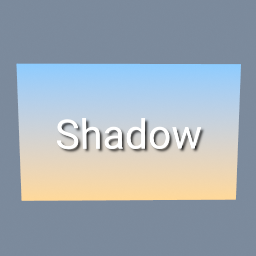
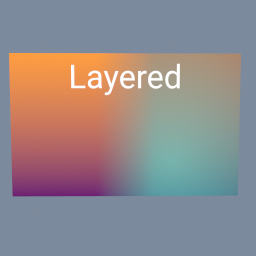
Two pictures side by side, blended across a soft seam by a gradient mask, the right one made see-through, and a title written on top. Each layer is a tex/Layer: its third input is the mask that says where the picture on top shows.
tex/Layer tex/Ramp tex/Text tex/Brightness tex/ImageExporter
See also
- tex/Image
- tex/Color
This page is generated from the engine, so it describes the release you can download. The same text is in the editor's Help panel next to the node itself.