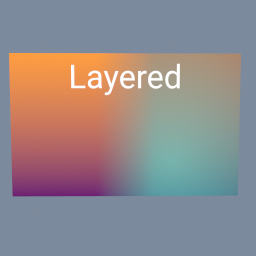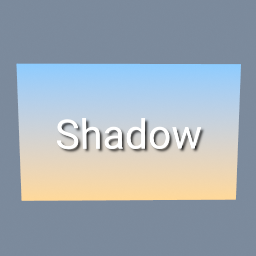
A title with a soft shadow, over a gradient. The shadow is the same title blurred, turned black and layered under it a little lower and to the right.
tex/Blur tex/Layer tex/Text tex/Brightness tex/Ramp
Documentation / Node reference / tex nodes
Fills a texture with a gradient from one colour to another: along a line, out from a point, or around a point.
Primitives
Makes the gradient you need for a mask or a background. LINEAR blends along the line from start to end, RADIAL from start outwards with end on the outer edge, ANGULAR around start, beginning in the direction of end and turning counter-clockwise.
start and end go from 0 to 1 across the image, measured from its top left corner. Distances are measured in pixels, so on an image that is not square a RADIAL ramp stays a circle.
softness sets how gradual the change is. At 1 the colour changes evenly all the way from start to end. Lower values keep startColor and endColor plain for longer and blend them over a narrower band in the middle, and 0 gives a hard edge exactly half way.
The defaults go from black on the left to white on the right, the soft left/right split a mask needs: connect it to the mask input of a filter to apply that filter more and more towards the right. The texture is made in floating point, so long gradients do not band.
| Name | Type | What it does |
|---|---|---|
| type | UInt8 LINEAR · RADIAL · ANGULAR | The kind of gradient. LINEAR changes along the line from start to end. RADIAL changes with the distance from start, reaching endColor at the distance of end. ANGULAR changes around start, from the direction of end, counter-clockwise, all the way round. |
| angle | Float | Turns the LINEAR gradient about the point half way between start and end, in degrees, counter-clockwise. 90 turns a left to right ramp into a bottom to top one. |
| start | Vector2 | Where the gradient begins, with startColor: 0 to 1 across the image from its top left corner. For RADIAL and ANGULAR, it is the centre. |
| end | Vector2 | Where the gradient ends, with endColor: 0 to 1 across the image from its top left corner. For RADIAL, its distance from start is the radius. For ANGULAR, its direction from start is where the turn begins. |
| softness | Float | How gradual the change is. 1 blends evenly from start to end. Lower values blend over a narrower band in the middle, and 0 is a hard edge half way. |
| startColor | Color4 | The colour at start. Its alpha is blended too, so a ramp can fade to transparent. |
| endColor | Color4 | The colour at end. Its alpha is blended too, so a ramp can fade to transparent. |
| resolution | Vector2UInt | Texture width and height in pixels. |
Scenes you can open in the editor that teach this node.
A title with a soft shadow, over a gradient. The shadow is the same title blurred, turned black and layered under it a little lower and to the right.
tex/Blur tex/Layer tex/Text tex/Brightness tex/Ramp
Two pictures side by side, blended across a soft seam by a gradient mask, the right one made see-through, and a title written on top. Each layer is a tex/Layer: its third input is the mask that says where the picture on top shows.
tex/Layer tex/Ramp tex/Text tex/Brightness tex/ImageExporter
One tile, a gold star on a blue gradient, repeated four times each way and turned a little, on a plane. tex/Transform with borderMode REPEAT does the tiling.
tex/Transform tex/Shape tex/Ramp tex/Layer
This page is generated from the engine, so it describes the release you can download. The same text is in the editor's Help panel next to the node itself.