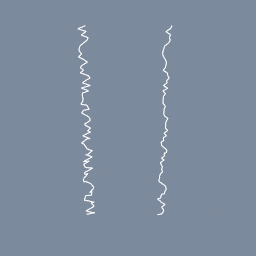
A jittered curve smoothed in a geo/PointBuilder, where code/Attribute reads each point's two neighbours by index, from the curve as it came in.
code/Attribute geo/PointBuilder
Documentation / Node reference / geo nodes
Runs the code nodes inside it once for every point of its first input.
Builder
Dive inside and read point attributes with code/Attribute, work on them with any code node, and write the result back with a code/Attribute whose value input is wired. Several attributes can be written at once.
The first input is the geometry it visits; the three after it are read only. To read one of them, set a code/Attribute's input index to 1, 2 or 3. An input holding points answers the point nearest to the position you give the read (or, under the same-index lookup, the point with the same index as the one being visited), and an input holding a volume is sampled smoothly at that position.
The backend picks where the code runs: on the CPU, or on the GPU as a compute shader. Both give the same result.
| Name | Type | What it does |
|---|---|---|
| backend | UInt8 CPU · GPU | Where the code runs: CPU, or GPU as a compute shader. Both give the same result; the GPU wins on large point counts. |
Scenes you can open in the editor that teach this node.
A jittered curve smoothed in a geo/PointBuilder, where code/Attribute reads each point's two neighbours by index, from the curve as it came in.
code/Attribute geo/PointBuilder
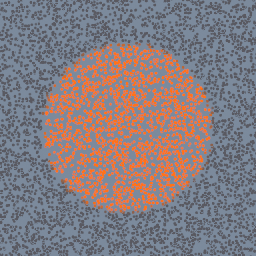
Points coloured inside a geo/PointBuilder by the density of a sphere's volume wired on its second input, read at each point by code/VolumeSample.
code/VolumeSample geo/PointBuilder geo/VolumeCreate
A geo/PointBuilder samples a picture made in TEX at each point's UV and writes it into the point colour: a star on a gradient, painted around a sphere.
geo/PointBuilder code/TextureSample2D code/Param code/Sampler
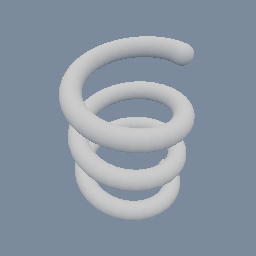
A line bent into a helix, read as a curve in space and given a thickness: one exact field, with nothing swept and nothing stitched.
geo/SDFCreate geo/SDFOffset geo/PointBuilder
This page is generated from the engine, so it describes the release you can download. The same text is in the editor's Help panel next to the node itself.