geo/SDFCreate geo/SDFOffset geo/PointBuilder
Documentation / Node reference / geo nodes
geo/SDFOffset
Grows an SDF object by a radius, or shrinks it.
Sdf Operations
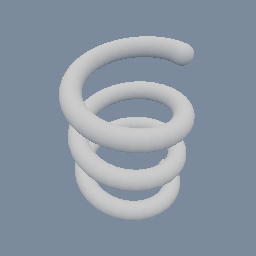
Offsets each input SDF object's surface outward by `radius`, as if the shape were grown by a ball of that size. Every convex edge and corner comes out rounded at that radius, and the shape gets bigger by the same amount. A negative radius pulls the surface inward instead, which shrinks the shape and rounds off its concave features. It works on 2D and 3D fields alike: offsetting a geo/SDFSegment2D is how that zero-area segment becomes a 2D capsule, and offsetting an OPEN CURVE from geo/SDFCreate is how that curve gets a width. In both cases the radius is the stroke's half width, and the joins and caps come out round because the field is the distance to the curve. Non-SDF objects pass through unchanged.
The arithmetic is `d - radius`, which is iq's `opRound` from the Shadertoy distance-function pages, under a name that says what it does to the size.
**It cannot round the corners without changing the size.** Growing is `d - r`, shrinking is `d + r`, so growing and then shrinking by the same radius gives back exactly the field you started with. A round that preserves the size needs the eroded set redistanced on a grid, which is not a tree operation, so it is deliberately not offered here.
Parameters
| Name | Type | What it does |
|---|---|---|
| radius | Float | How far the surface moves out, and the radius the convex corners come out at. Negative moves it in instead. |
Examples
Scenes you can open in the editor that teach this node.
See also
This page is generated from the engine, so it describes the release you can download. The same text is in the editor's Help panel next to the node itself.