Documentation / Node reference / mat nodes
mat/MeshBuilder
Builds a custom mesh material from a graph of code/* shader nodes.
Builder
A material whose shading is authored as a node graph: its children are code/* nodes (a code/Output sink fed by e.g. code/LightingModelPBR, reading geometry via code/Globals and code/Attribute). Create it inside a geo/MaterialNetwork and point a geo/Material at it.
Parameters
| Name | Type | What it does |
|---|---|---|
| transparencyMode | UInt8 AUTO · OPAQUE · MASK · BLEND | Whether this material is drawn in the opaque pass or through order-independent transparency. AUTO decides from the material itself, which for most materials means its colour alpha below 1. OPAQUE always draws in the opaque pass and ignores alpha entirely, which is what you want for a material whose alpha is incidental. MASK draws in the opaque pass but throws away fragments below alphaCutoff, which is what hard-edged cutouts want: they still write depth, so they occlude each other correctly. BLEND always goes through transparency, which is the only way to get soft texture alpha to show, since nothing on the CPU side can inspect the texels. |
| alphaCutoff | Float | In MASK mode, the alpha below which a fragment is thrown away entirely. It applies to the shadow the object casts as well as to the object, so a cutout leaf casts a leaf-shaped shadow rather than a rectangle. Only used when transparencyMode is MASK. |
| sides | UInt8 FRONT · BACK · BOTH | Which side of each triangle is drawn. FRONT draws the outward-facing side only, which is what a closed mesh wants: its inner surface is hidden anyway, so drawing it is wasted work. BACK draws the inward-facing side, for a surface seen from the inside such as a skydome or a box the camera sits in. BOTH draws either side, which is what an open single surface needs: a cutout leaf, a sheet of cloth, or a plane the camera can walk around, all of which disappear from one side under FRONT. The shadow pass follows BOTH so an open surface still casts a shadow whichever way it faces the light, and draws FRONT otherwise. |
Examples
Scenes you can open in the editor that teach this node.
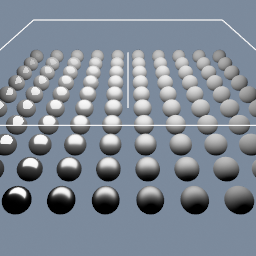
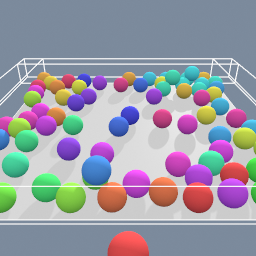
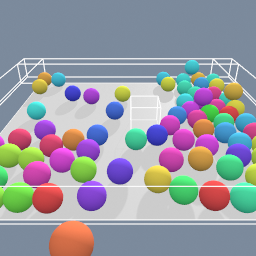
A rigid-body simulation with many objects where your cursor drive one of them, allowing you to interact with the others.
mat/MeshBuilder geo/PhysicsSolver
This page is generated from the engine, so it describes the release you can download. The same text is in the editor's Help panel next to the node itself.