Documentation / Node reference / geo nodes
geo/Environment
Lights the whole scene with one environment map.
Lights
Holds an equirectangular map, authored by its TEX children, and registers it with the scene. Every material whose environmentMode is AUTO or GLOBAL then lights and reflects from it, with no wire to run per material: dropping this node into a scene gives every untouched surface an environment at once. A material that has its own envMap keeps it under AUTO, so nothing already authored changes look.
Only one environment can be active. If a second one reaches the scene the first wins and the others report an error, rather than one being picked silently.
The map wants prefiltering, so set the tex node's mipmapsFilter to EnvironmentGGX: that is what lets a rough surface read the environment blurred and a polished one read it sharp.
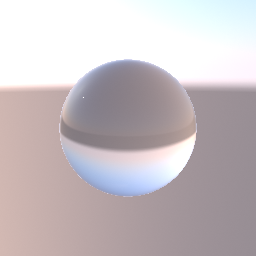
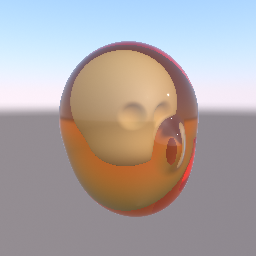
For look-dev balls, a mirror one and a matte grey one that read the map and the light it casts, add an environmentHelper node. It is built out of nodes you can open and edit, so you can restyle a ball, move the pair apart or add a third, and it shows whichever environment actually won.
Parameters
| Name | Type | What it does |
|---|---|---|
| texturePath | NodePath | The TEX node holding the environment map, as an equirectangular image. Prefilter it with mipmapsFilter EnvironmentGGX so roughness picks the right blur level. Leave it unset and the node registers nothing, which is the same as having no environment at all. |
| intensity | Float | How brightly the environment lights the scene. It multiplies each material's own envIntensity, so this is the one dial that moves every surface together while their relative response stays as authored. |
| rotationY | Float | Turns the environment around the vertical axis, in degrees. It rotates the lookup rather than the image, so nothing is re-prefiltered and the turn is free: use it to bring the sun, or the brightest part of the map, round to the side of the subject you want lit. |
| backgroundMode | UInt8 NONE · ENVIRONMENT | Whether the map is also drawn BEHIND the scene, instead of only lighting it. ENVIRONMENT draws it through the same rotation the lighting uses, so the reflection in a mirror surface and the background agree; NONE leaves the camera's own background colour showing. A geo/CameraBackground node wins over this: a camera that states its own background, colour or texture, keeps it, and the environment background is not drawn for that camera. |
See also
- geo/TextureNetwork
- geo/HemisphereLight
This page is generated from the engine, so it describes the release you can download. The same text is in the editor's Help panel next to the node itself.