Documentation
/
Node reference
/
geo nodes
geo/PhysicsRBDAttributes
Tags input objects as rigid bodies for the PhysicsSolver.
Physics
Assigns rigid-body attributes (shape, mass, friction, restitution, initial velocity, motion type) to each input object. Merge the result with a PhysicsGround and feed a PhysicsSolver to simulate. Each toggle enables one attribute; leave a toggle off to keep the object's default.
Parameters
| Name |
Type |
What it does |
| tId |
Bool
|
not documented yet
|
| idMode |
UInt8
FROM_NODE_NAME · FROM_OBJECT_NAME
|
not documented yet
|
| tMotionType |
Bool
|
not documented yet
|
| motionType |
UInt8
STATIC · KINEMATIC · DYNAMIC
|
not documented yet
|
| tShape |
Bool
|
not documented yet
|
| shape |
UInt8
BOX · CONVEX_HULL · SPHERE
|
not documented yet
|
| sizeAuto |
Bool
|
not documented yet
|
| halfExtent |
Vector3
|
not documented yet
|
| radius |
Float
|
not documented yet
|
| convexRadius |
Float
|
not documented yet
|
| maxConvexRadius |
Float
|
not documented yet
|
| tMass |
Bool
|
not documented yet
|
| mass |
Float
|
not documented yet
|
| tFriction |
Bool
|
not documented yet
|
| friction |
Float
|
not documented yet
|
| tRestitution |
Bool
|
not documented yet
|
| restitution |
Float
|
not documented yet
|
| tLinearVel |
Bool
|
not documented yet
|
| linearVel |
Vector3
|
not documented yet
|
| tAngularVel |
Bool
|
not documented yet
|
| angularVel |
Vector3
|
not documented yet
|
| tLinearDamping |
Bool
|
not documented yet
|
| linearDamping |
Float
|
not documented yet
|
| tAngularDamping |
Bool
|
not documented yet
|
| angularDamping |
Float
|
not documented yet
|
| tAllowSleeping |
Bool
|
not documented yet
|
| allowSleeping |
Bool
|
not documented yet
|
Examples
Scenes you can open in the editor that teach this node.
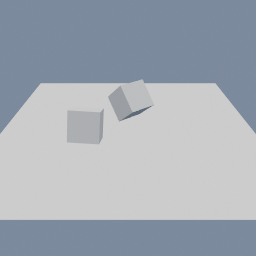
Two boxes dropped onto a ground plane and simulated as rigid bodies. The tagging happens in the graph: one node marks what falls, another marks the ground, and the solver takes both.
geo/PhysicsSolver
geo/PhysicsRBDAttributes
Physics
This page is generated from the engine, so it describes the release you can download. The same text
is in the editor's Help panel next to the node itself.