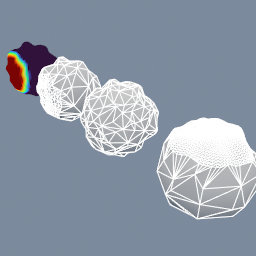
geo/Decimate geo/AttributeTransfer geo/AttributeDisplay geo/GroupCreate
Documentation / Node reference / geo nodes
geo/AttributeDisplay
Colors the input by a point attribute, to see its values.
Attributes
SURFACE recolors each object by the attribute. VOLUME shows a colored slice through a volume. A vector shows as a color, as its length, or as a line at each point.
Parameters
| Name | Type | What it does |
|---|---|---|
| mode | UInt8 SURFACE · VOLUME | Colors the surface, or a slice through a volume. |
| name | AttributeName | Attribute to display. |
| attributeType | UInt8 FLOAT · INDEX · U32 · VECTOR2 · VECTOR3 · VECTOR4 · VECTOR2_64 · VECTOR3_64 · FLOAT64 · VECTOR2_U32 · VECTOR3_U32 · VECTOR4_U32 | Type of the attribute. |
| colorMode | UInt8 GRAYSCALE · TURBO · COOL_WARM · RAINBOW | Color ramp the values are mapped to. |
| rangeMin | Float | Value at the start of the color ramp. |
| rangeMax | Float | Value at the end of the color ramp. |
| hideOutOfRange | Bool | Hides the parts whose values are outside the range. |
| vectorMode | UInt8 AS_COLOR · AS_NORMAL · AS_MAGNITUDE | How a vector attribute is shown. |
| normalScale | Float | Scales the length of the lines. |
| normalColorOrigin | Color | Color at the start of each line. |
| normalColorEnd | Color | Color at the end of each line. |
| slicePlane | UInt8 XY · XZ · YZ | Plane of the slice. |
| slicePosition | Float | Slice position across the volume, from 0 to 1. |
| keepInput | Bool | Keeps the input objects beside the display. |
Examples
Scenes you can open in the editor that teach this node.
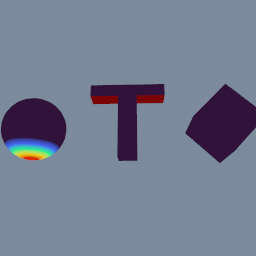
geo/PrintOverhangMeasure geo/AttributePromote geo/AttributeDisplay geo/Delete
This page is generated from the engine, so it describes the release you can download. The same text is in the editor's Help panel next to the node itself.