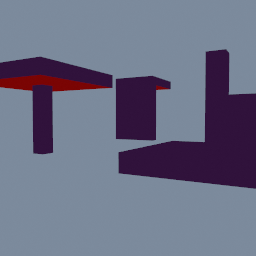
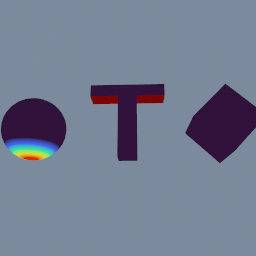
Shows which faces of a model would print over thin air, and how much overhang area there is.
A 3D printer builds a model layer by layer, and each layer can only reach a little way past the one below it. A face that leans further than that has nothing to print on and needs support. This node finds those faces and joins them into regions. An angle of 0 is a vertical wall, 90 is a ceiling facing straight down, and most printers manage up to about 45.
A region is a set of faces joined by their edges, each past the limit or just short of it (the soft band). One small face just past the limit prints, because its neighbours hold it up, so a region that small is left out. A large area just short of the limit can still sag, so a soft region that large is kept.
The mesh is not changed. The faces of the regions that need support go into a primitive group. Each face gets an OVERHANG_AMOUNT from 0 at the limit to 1 facing straight down, OVERHANG_REGION says which region it is in (0 for none), and OVERHANG_SEVERITY says how bad its whole region is, from 0 to 1. To see them, follow this node with geo/AttributePromote (from PRIMITIVE to POINT, mode MAX, so each point shows the worst face touching it) and a geo/AttributeDisplay on any of the three; OVERHANG_REGION is a whole number, so set the display's attributeType to U32. To keep only the faces that need support, follow it with geo/Delete on PRIMITIVE, group overhang, invert on.
The bed is the lowest point of the input along the up direction. Faces lying on it are bed contact, not overhang, even though they face straight down.
The totals are published as stage attributes, with areas in square millimetres whatever the scene unit: OVERHANG_AREA, OVERHANG_FACES_COUNT, OVERHANG_REGIONS_COUNT, OVERHANG_LARGEST_REGION_AREA and BED_CONTACT_AREA. Read them with attrib(.OVERHANG_AREA, entityType=.STAGE) to compare orientations: turn the model, and the smaller number needs less support.
You can say where support may go. Give the faces a SUPPORT_COST attribute: 0 where anything goes, 1 as usual, higher where you would rather not have it (faces without it cost 1). Put the faces support must never touch, such as the face of a bust, in a supportForbidden group. OVERHANG_WEIGHTED_AREA then adds up the overhang area times its cost, and OVERHANG_FORBIDDEN_AREA the overhang area in that group: turn the model until the forbidden area is 0, then keep the turn with the smallest weighted area. To see where the forbidden overhang is, follow this node with geo/GroupCombine, INTERSECT of overhang and supportForbidden.
Put it before geo/PrintPrepare, on the model the way you see it in the scene. Triangle, quad and hexagon meshes are measured; anything else passes through unchanged.
Scenes you can open in the editor that teach this node.
This page is generated from the engine, so it describes the release you can download. The same text
is in the editor's Help panel next to the node itself.