A box whose width, height, colour and display mode are five controls on a panel drawn over the viewer, plus a button that writes the box to a 3MF file. Built from spare params, with no UI code.
geo/ControlPanel geo/ThreeMFExporter
Documentation / Node reference / geo nodes
Writes the input objects to a 3MF file, the printing format that carries units and multiple objects.
Files
Every renderable triangle mesh on the input is written at its own world placement, so a whole build plate exports in one file. A slicer drops each object in the file onto the plate on its own, so the pieces of one model have to travel as one object: by default each geo/Parent hierarchy becomes one object in the slicer, its root with all its children, and the node warns when separate objects touch. objectGrouping changes that. The model declares millimeter units, which removes the mm-versus-inch guesswork that STL leaves to the slicer. Colour travels too: an object's COLOR attribute, or the base colour of the material assigned to it, is written as a colour group, which is the colour a slicer reads and maps to a filament slot. Plain 3MF viewers that only read core base materials show no colour. A mesh carrying more than one colour is written colour-per-triangle, and a slicer is then the one consumer that shows those regions apart.
It can also pass hints to the slicer, read by Bambu Studio, OrcaSlicer and PrusaSlicer. An object's layer height, set with geo/PrintProperties, becomes that object's own setting in the slicer. The faces in the supportBlockerGroup group, supportForbidden by default, are painted as support blockers, so the slicer never puts support there, even when it builds the supports itself. Blockers only take effect once supports are turned on in the slicer. The slicer can still change what the file asks for, so check it before you print.
The node exports what it is given: convert, repair or measure the geometry with nodes placed before it. Non-triangle geometries are skipped, and an empty input simply writes nothing.
| Name | Type | What it does |
|---|---|---|
| fileNameMode | UInt8 NODE_NAME · NODE_PATH · CUSTOM_NAME | How the file is named: after this node, after the node's full path in the scene (still unique when exporters in different subnets share a name), or after the name param typed below. |
| name | String | File name to write, without the .3mf extension. |
| objectGrouping | UInt8 HIERARCHY · ALL · SEPARATE | Which objects the slicer keeps together as one. A slicer drops every object in the file onto the plate on its own, so a model built from several objects comes apart unless its pieces are one object. HIERARCHY keeps each geo/Parent hierarchy together, its root with all its children, and leaves every other object on its own. ALL makes everything one object. SEPARATE keeps every object apart, for a plate of separate prints. |
| slicerHints | UInt8 ALL · BAMBU_ORCA · PRUSA · NONE | Which slicers to write hints for: layer heights and support blockers. ALL writes both kinds of file, which is harmless, since each slicer ignores the other's. NONE writes plain 3MF. |
| supportBlockerGroup | String | The primitive group whose faces support must never touch, painted as support blockers for the slicer. geo/PrintOrient avoids the same group. |
| download | Button | Cook the node and write the file. |
Scenes you can open in the editor that teach this node.
A box whose width, height, colour and display mode are five controls on a panel drawn over the viewer, plus a button that writes the box to a 3MF file. Built from spare params, with no UI code.
geo/ControlPanel geo/ThreeMFExporter
A two-colour nameplate written to 3MF three ways: as two objects each with its own colour, as one merged mesh coloured triangle by triangle, and with no colour attribute at all so the assigned material supplies it. It also shows what a model has to pass before a slicer will accept it: the right way up, the right size, and closed.
geo/ThreeMFExporter geo/Fuse
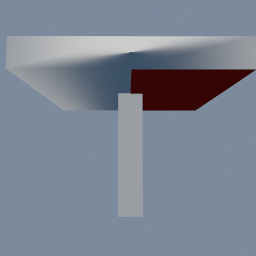
A mushroom whose cap may be supported on the left and never on the right, written to 3MF with the right half painted as support blockers and a 0.12 millimetre layer height. Slice it with supports on: support only fills the left half.
geo/ThreeMFExporter geo/PrintProperties
This page is generated from the engine, so it describes the release you can download. The same text is in the editor's Help panel next to the node itself.