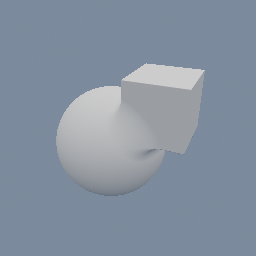
geo/SDFBoolean geo/SDFBox geo/SDFSphere
Documentation / Node reference / geo nodes
geo/SDFSphere
Creates an SDF sphere.
Sdf Primitives
Creates a sphere as SDF geometry, whole or cut flat by a horizontal plane, keeping the part above it: wire it to the geo/Output node to see it raymarched, or compose it with other SDF objects through geo/SDFBoolean, geo/SDFRepeat and geo/Transform. The cut is also expressible as a subtraction with geo/SDFPlane, but that composition is not the true distance near the rim, where the nearest point on the surface is the rim circle itself; this node's is. Dragging the params never recompiles the preview shader, though switching the cut on or off does. For fields beyond the wrapper primitives, use geo/SDFBuilder and the code/SDF* library.
Parameters
| Name | Type | What it does |
|---|---|---|
| t | Vector3 | Sphere center. |
| s | Float | Sphere radius. |
| cut | Bool | Cut the sphere flat with a horizontal plane, keeping the part above it. At a height of 0 that is the upper half. |
| cutHeight | Float | Height of the cut plane above the center, read only when the cut is on. Clamped just inside the sphere, so the cut always leaves something and never removes everything. |
Examples
Scenes you can open in the editor that teach this node.
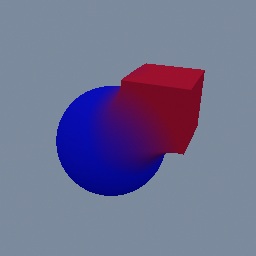
geo/MaterialAttributes geo/SDFBoolean geo/SDFBox geo/SDFSphere
See also
This page is generated from the engine, so it describes the release you can download. The same text is in the editor's Help panel next to the node itself.